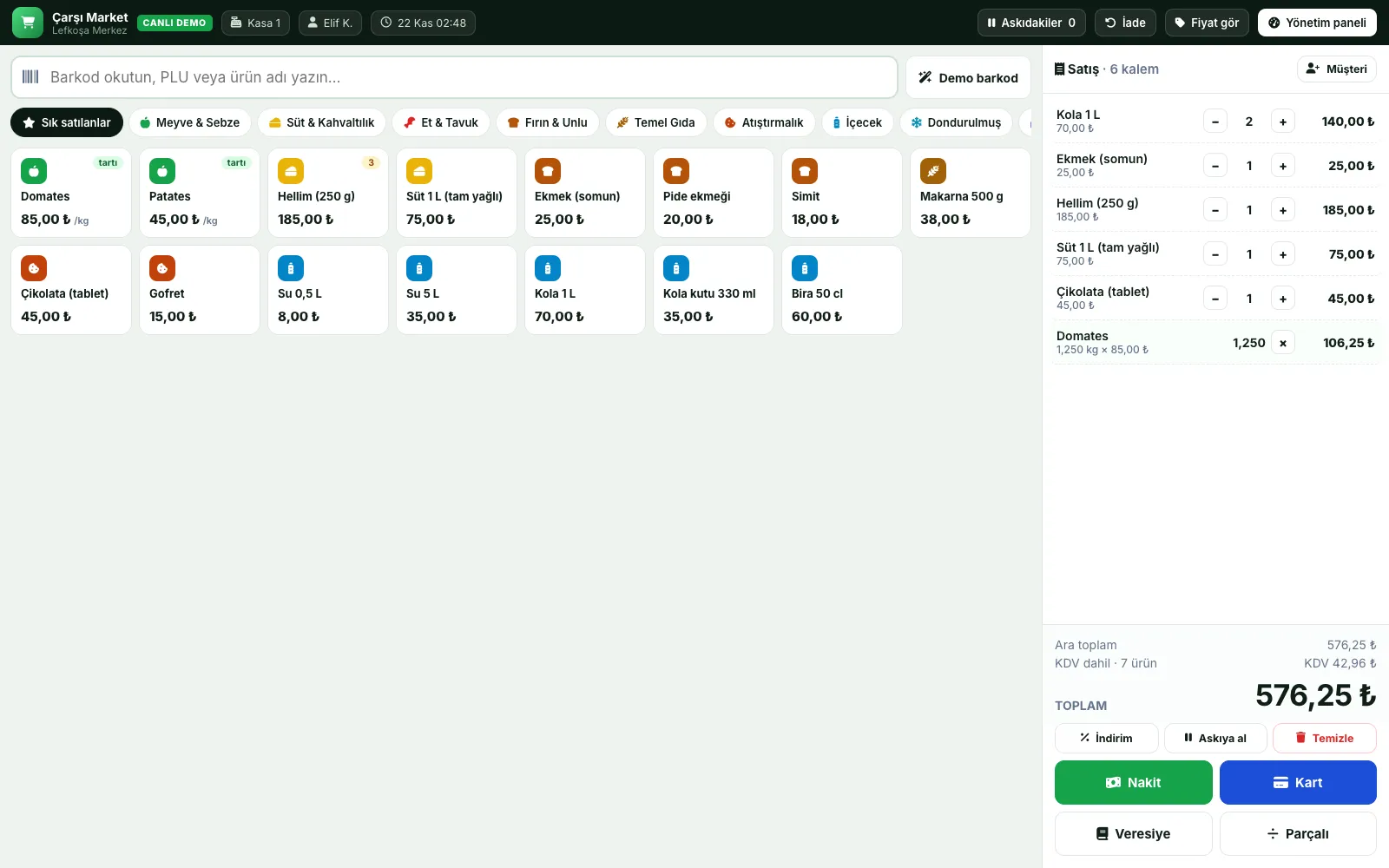
"Supermarket software" is one of the most searched business software terms on Google, because a supermarket owner's day revolves around three questions: Is there a queue at the till? What's run out on the shelves? Who owes how much in the credit book? The right software answers these three questions by itself.
The till: speed is everything
- Barcode scanning: the product drops into the basket in a second. If a customer buys several of the same item, just type "3*" and scan.
- Weighed items: fruit and vegetables, meat and cheese are added with a barcode scale or PLU code; weight and amount are calculated automatically.
- Payment: cash (with change), card, on account or split. The receipt is printed in seconds.
- Hold and returns: if a customer forgot an item, the sale is put on hold and you move on to the next customer. Returns are made by receipt number and the item goes back into stock.
Stock: preventing losses increases profit
Every sale is deducted from stock instantly. Items that fall to a critical level are added to an order list grouped by supplier. For short shelf-life products such as dairy, meat and bread, items nearing their expiry date are visible in advance and can be discounted or recorded as waste. Periodic counts are done by category and differences are recorded.
The credit book: no forgotten debts
Most neighbourhood supermarkets in North Cyprus let regular customers buy on credit. Instead of a paper notebook, each customer's debt, limit and transactions are kept in the system; a warning appears at the till when the limit is exceeded, and a statement is sent to the customer by SMS at month end.
End of day and reports
With the Z report, cash, card and on-account sales are shown separately, and any difference in the till count is recorded. Reports show revenue, gross profit, category breakdown and the busiest hours, making it easier to plan staff shifts around busy times.
Price changes and shelf labels
In inflationary periods prices change often. With bulk price updates, a percentage increase is applied to all products from a supplier or category, and shelf labels for items whose price has changed are printed in one click.
Try the live demo
In our supermarket software live demo, make a sale on the till screen (you can try it without a barcode scanner using the "Demo barcode" button), then see stock, revenue and the Z report update instantly in the management panel. For details, see our supermarket and retail POS software page, and for multi-warehouse businesses, stock and warehouse management.