Data entered once goes everywhere correctly.
API integrations that connect your systems and automations that cut down manual work.
What does this service provide?
Entering the same data by hand into several programs wastes time and increases the risk of errors. With integrations your systems talk to each other and data is entered only once.
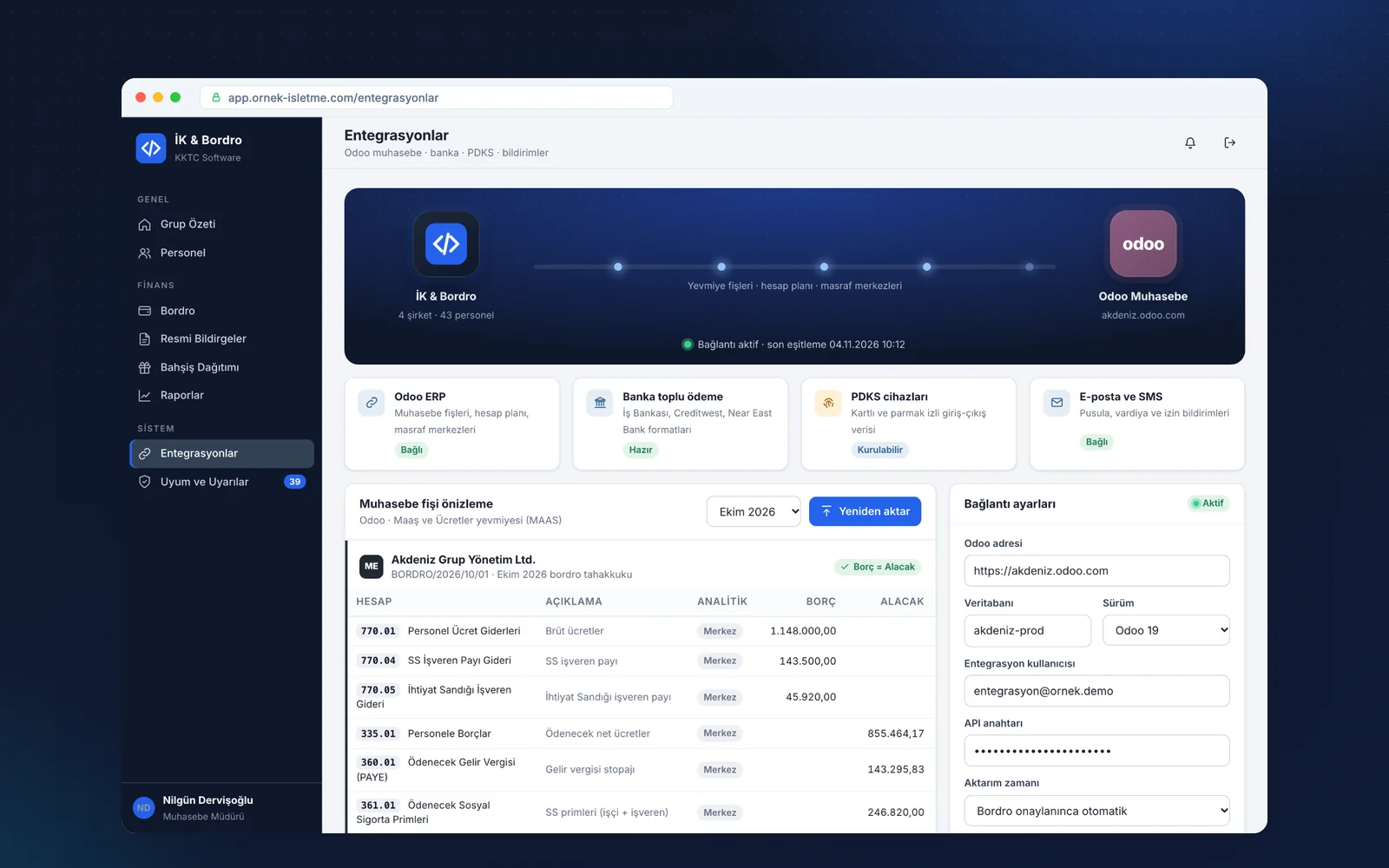
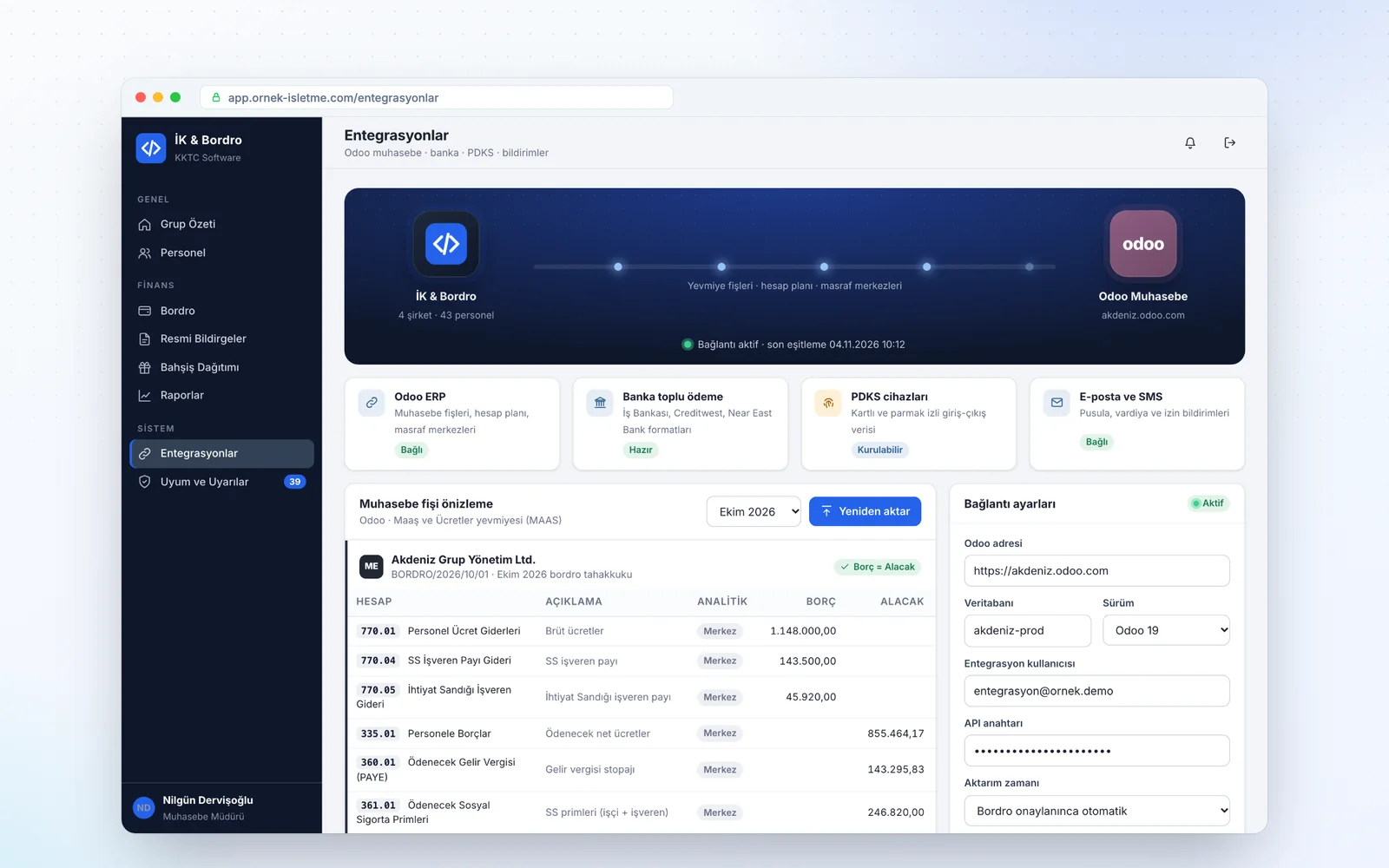
We set up secure data flows between accounting software (Odoo, Logo), banks, time attendance devices, e-mail and SMS services and your websites. Repetitive tasks are eliminated with scheduled automations.
Every integration includes data mapping, error checks and a transaction log; every transferred record can be traced.
What's included?
- Odoo and Logo accounting integration
- Bank bulk payment files
- Time attendance device integration
- E-mail, SMS and WhatsApp notifications
- Scheduled automatic jobs
Key features
Modules you can choose and combine to suit your business.
Accounting integration
Payroll and sales records are transferred to software such as Odoo and Logo as journal entries.
Bank files
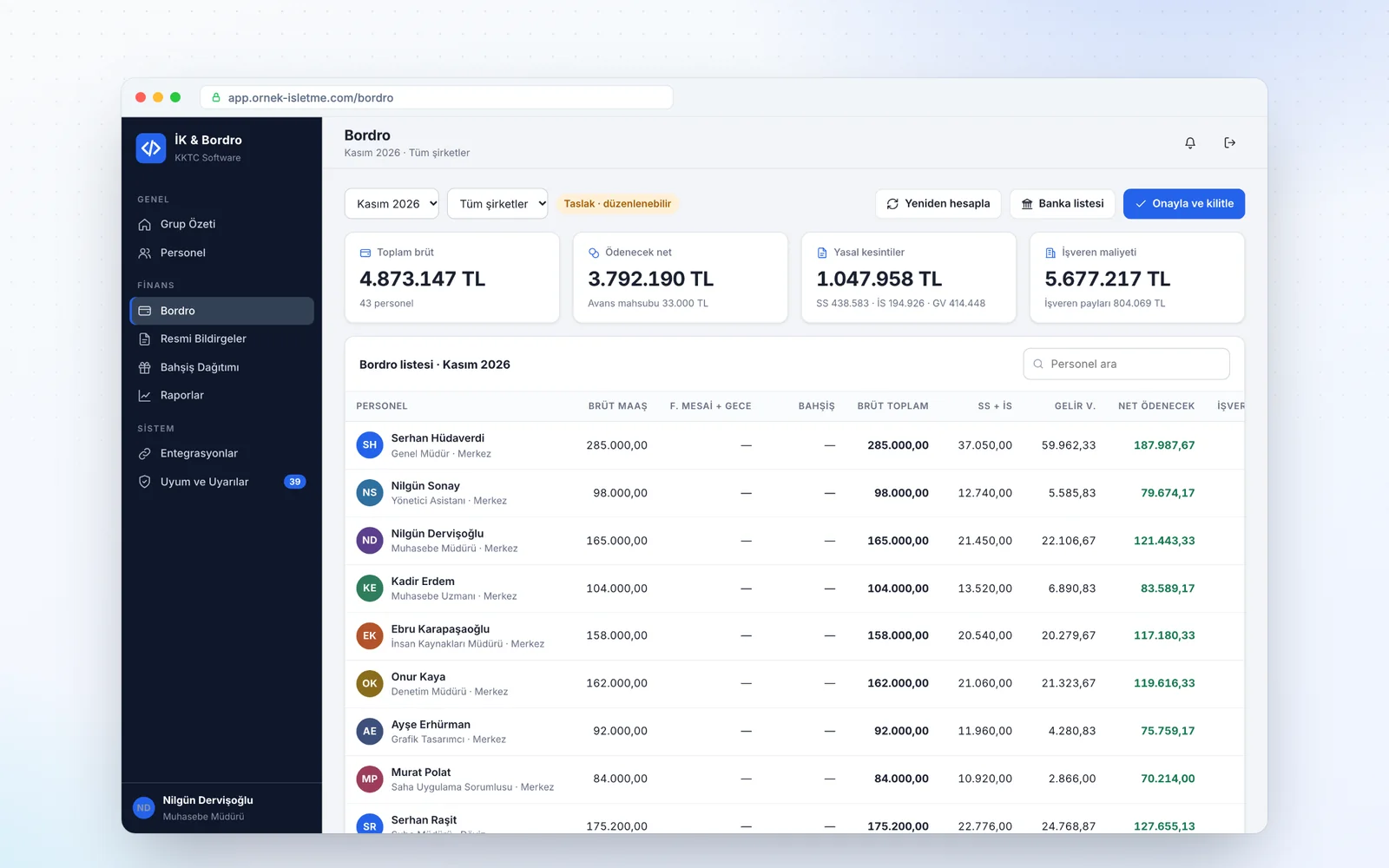
Bulk salary and payment files are generated automatically in the format your bank requires.
Device integration
Data from card and fingerprint time attendance devices is imported into the system.
Notifications
Automatic updates are sent by e-mail, SMS and WhatsApp.
Automation
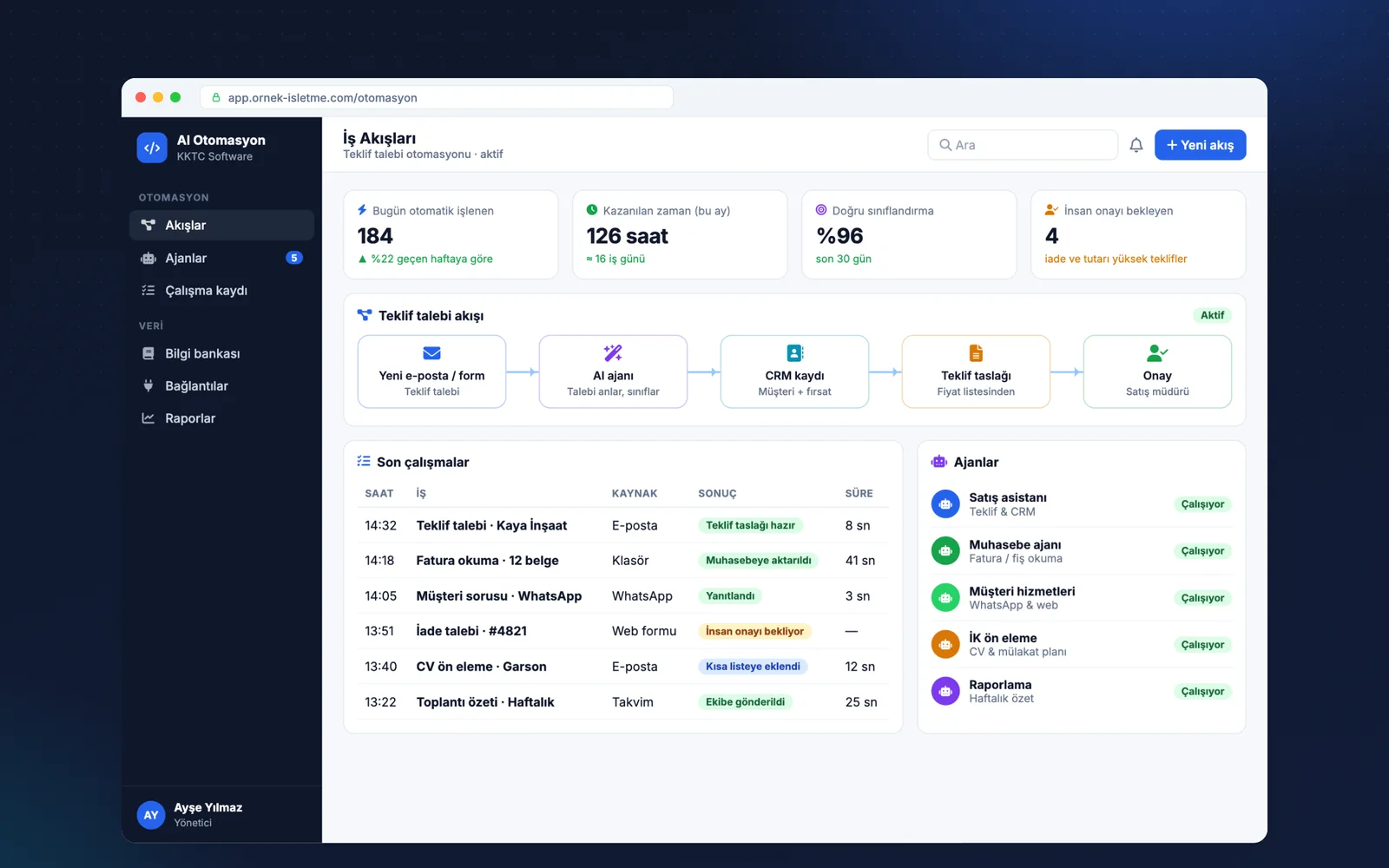
Reports, reminders and data transfers run on a schedule.
Traceability
The result, any errors and the time of every transfer are logged.
Examples from real screens
Screenshots from systems we have built. Click an image to enlarge it.
How do we work?
Clear steps, with your approval at every stage.
Reviewing your systems
We determine which programs will share which data.
Mapping
Fields, account codes and rules are mapped together.
Test environment
The integration is first tried out with test data.
Go-live
Transfers are monitored and an alert mechanism is set up for errors.
Who is it for?
The types of business that use this solution most.
Frequently asked questions
We're moving from Logo to Odoo. Will the integration change?
We build the integration layer independently of the software. When the accounting software changes, only the connection side is updated.
Is an extra licence needed?
It depends on the software. Odoo's API doesn't require an extra licence; some programs may need an official integration licence.
Which tasks can be automated?
Regular, rule-based tasks such as transferring invoices and orders, updating stock, sending notifications and preparing reports can be automated.
Will we know if an integration fails?
Yes. Integrations are monitored; if a transfer fails, the person responsible is notified.
Let's plan your project together
Let us listen to your needs and come back with a working demo and a clear quote.